How to bid 
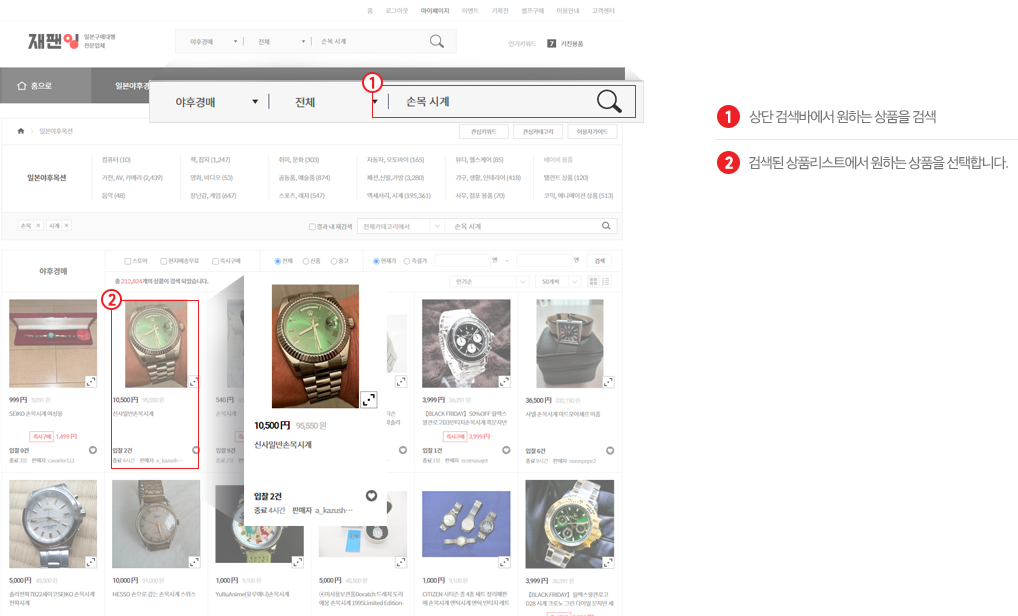
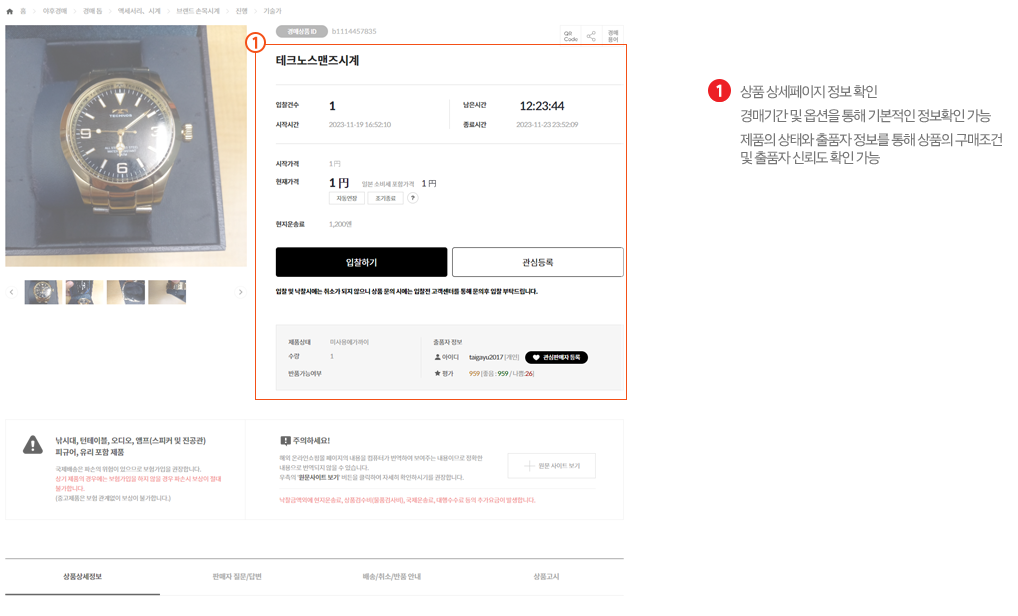
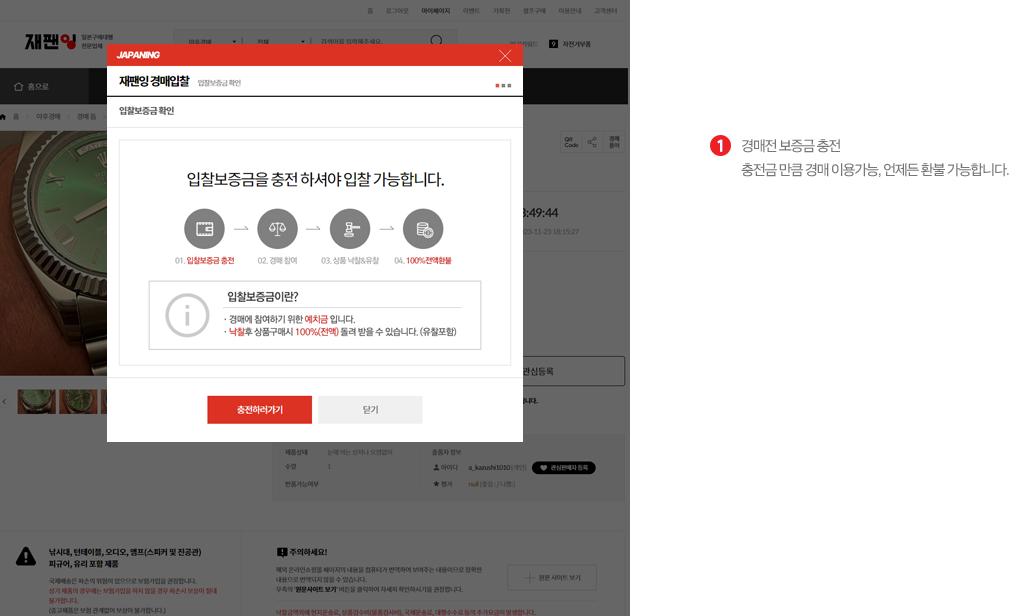
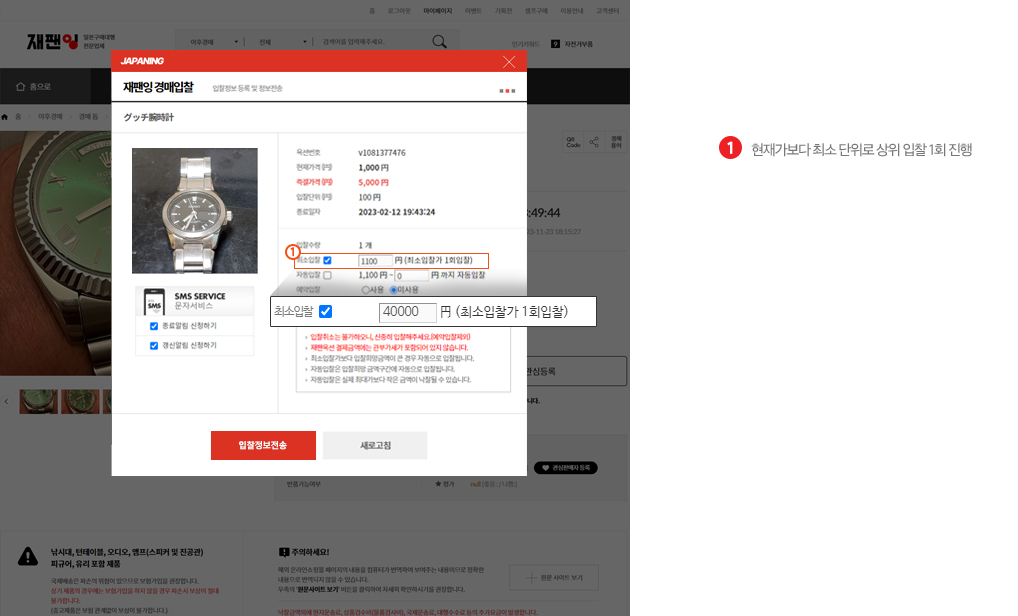
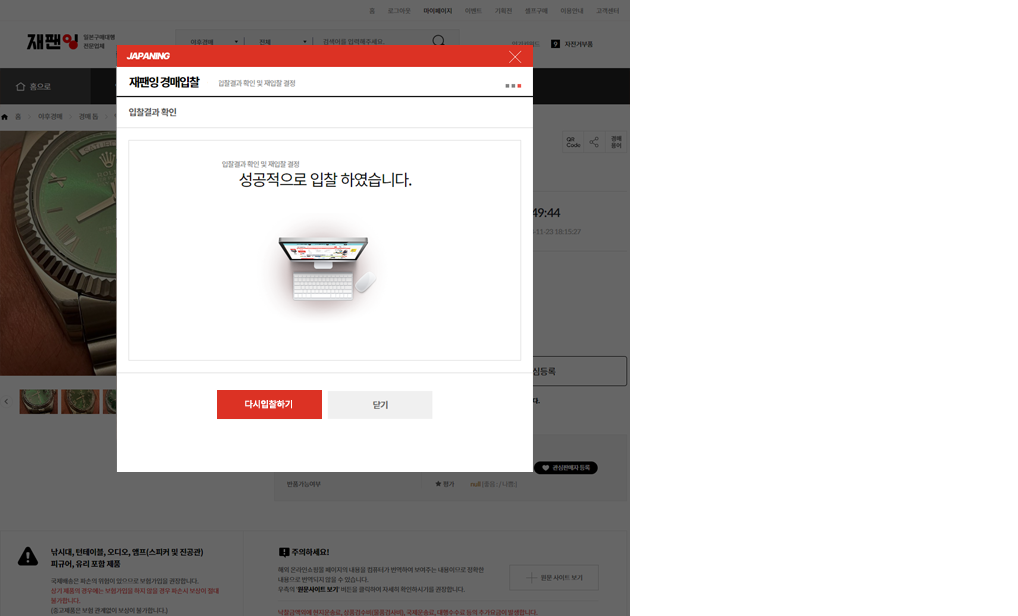
Bid : After paying the bid deposit, place a bid from the Place Bid or Buy It Now button for the item you want in the JDirectItems Auction category.
Please check the notes before you bid.
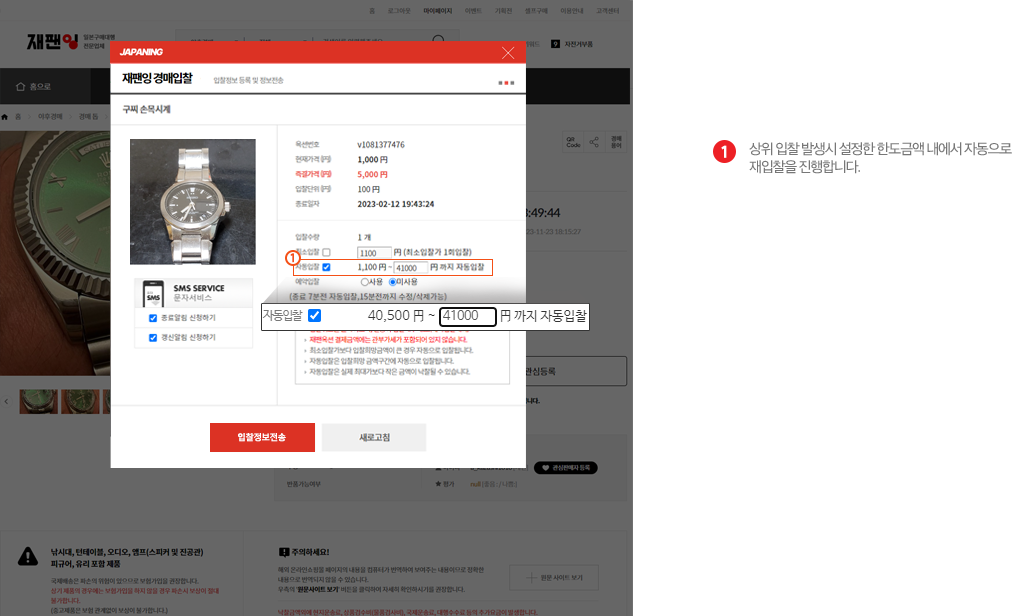
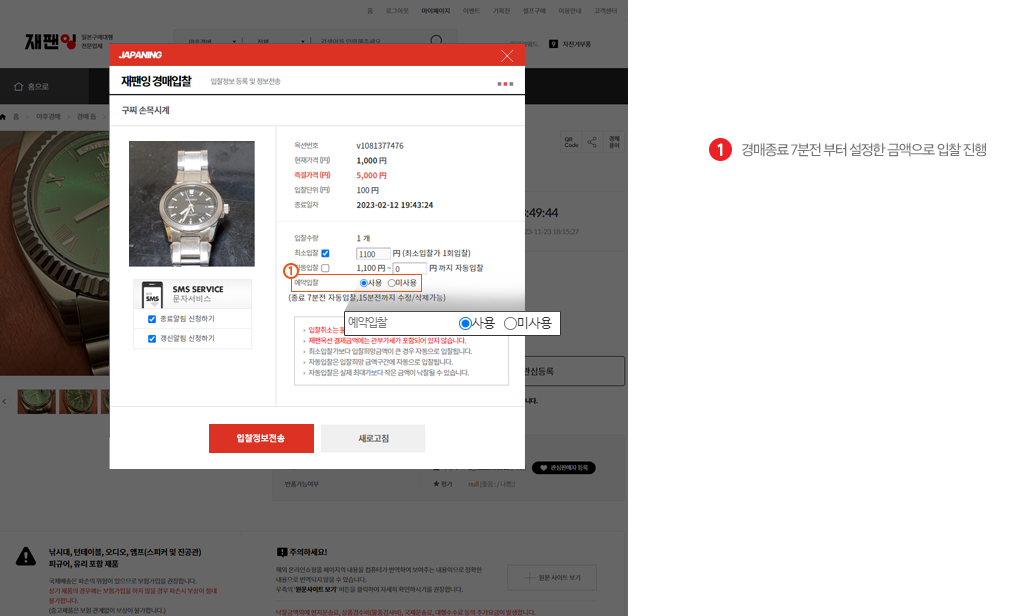
Enter the automatic bid amount carefully. Automatic bidding means the system keeps bidding up to the highest price within the limit you set.
Option : Each auction can be set by the seller to auto extension, early close, or a premium-pass item (bidder verification limit).
| Auto Extension |
The seller can turn this on. If auto extension is set and the price rises from 5 minutes before the end until the end, the auction is extended by 5 minutes.
Example: An auction set to end at 9:00 receives a bid at 8:56, 4 minutes before the end, and the price rises. The end time becomes 9:05. If the price rises again from 5 minutes before the new end time until the end, it is extended again to 9:10 or 9:15. |
| Early Close |
Early close ends the auction sooner than scheduled and awards it to the highest bidder at that time. It applies when the seller sets Early Close when listing. |
Bidder verification limit
(Premium-pass bid item) |
If the seller selects the bidder verification limit, only verified bidders may bid.
This auction requires payment of a 100,000 KRW bid deposit before you can bid. |
Notes
① After you bid on JDirectItems Auction, you cannot change the bid amount or cancel the bid. You can raise the amount by placing another bid.
Bid cancellation is not allowed under JDirectItems Auction Japan policy, so bid carefully.
You may ask the seller to cancel the bid through a question, but there is often no reply or the request is refused. Buytors cannot submit a cancellation request in real time.
Before bidding, check the item condition, color, size, and the seller rating. The bidder is responsible for mistaken or prank bids.
② If you do not purchase (pay) within 2 days after winning, the bid deposit cannot be refunded and the winning order may be cancelled.
A penalty for cancelling a purchase after winning is also charged. It is 30% of the winning price and is billed separately or settled against auctions in progress or cash you hold.
③ JDirectItems Auction is a direct transaction with the seller, so Buytors cannot know whether an auction item is genuine, counterfeit, new, or used.
Buytors displays the information shown on the JDirectItems Auction Japan site as it is.
If you need more information, contact the customer center and get enough guidance before you bid.
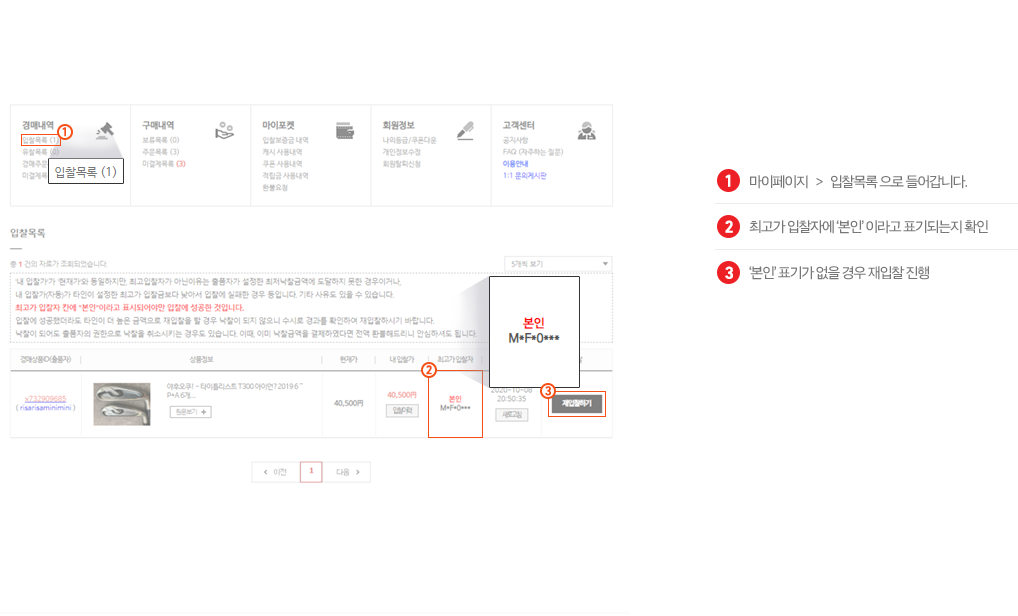
④ If you are in two or more auctions and at least one is won, you must pay for the won item before you can bid (or bid again) on the others.
If you have a won item and do not pay, you cannot place any further bids.
⑤ Items that cannot be imported or cleared under domestic law cannot be purchased through this service even if you win them. Please check prohibited items directly with customs or the relevant authority. |